
Create a website that is easy for people and search engines to understand
Your website might look incredible, but if no one can find it, it's not doing its job. Whether you've just launched a new business or you've had a website for years, one challenge remains the same: getting the right people to discover you online. That's where Search Engine Optimization (SEO) comes in.
SEO isn't about gaming Google's algorithm or stuffing pages with keywords. It's about creating a website that's easy for both people and search engines to understand. When your website is well structured, loads quickly, and provides genuinely helpful content, search engines are far more likely to recommend it to people searching for what you offer. As search continues to evolve with AI-generated summaries and conversational search, the fundamentals of SEO remain remarkably consistent. Search engines still prioritize websites that are clear, trustworthy, technically optimized, and focused on helping users.
What Is SEO?
Search Engine Optimization (SEO) is the process of improving your website so search engines can discover, understand, and recommend your content. When someone searches on Google, search engines scan billions of pages to find the most helpful answer. SEO helps your website become one of those answers. Good SEO isn't about attracting as many visitors as possible. It's about attracting the right visitors. Someone actively searching for your product or service is far more valuable than someone who lands on your website by chance. Ultimately, SEO helps search engines answer three important questions:
What is this page about?
Can this content be trusted?
Is it the best answer for the user's search?
The clearer your website answers those questions, the better your chances of appearing in search results.
How Search Engines Work
Before optimizing your website, it's helpful to understand how search engines actually work. Although Google's algorithm is incredibly sophisticated, the process can be simplified into three stages.
1. Crawling
Search engines use automated programs called crawlers (or bots) to discover pages across the web. These crawlers move from one page to another by following links, much like a person browsing the internet. If your pages aren't linked properly or are blocked from crawling, search engines may never discover them.
2. Indexing
Once a page has been discovered, Google analyzes its content and stores it in its index. Think of Google's index as a giant digital library. During indexing, Google attempts to understand:
- What your page is about,
- How your content is structured,
- What images and media are included,
- How your page relates to other content across your website.
If Google can't understand your content clearly, it becomes much harder for your page to appear in search results.
3. Ranking
When someone performs a search, Google doesn't search the internet in real time. Instead, it searches its index and evaluates which pages provide the most helpful answer. Hundreds of factors influence rankings, including:
- Content quality
- Relevance
- Website performance
- User experience
- Mobile friendliness
- Internal linking
- Authority
- Freshness
Although you can't control rankings directly, you can improve the signals your website sends to search engines.
SEO is changing but its foundations aren't
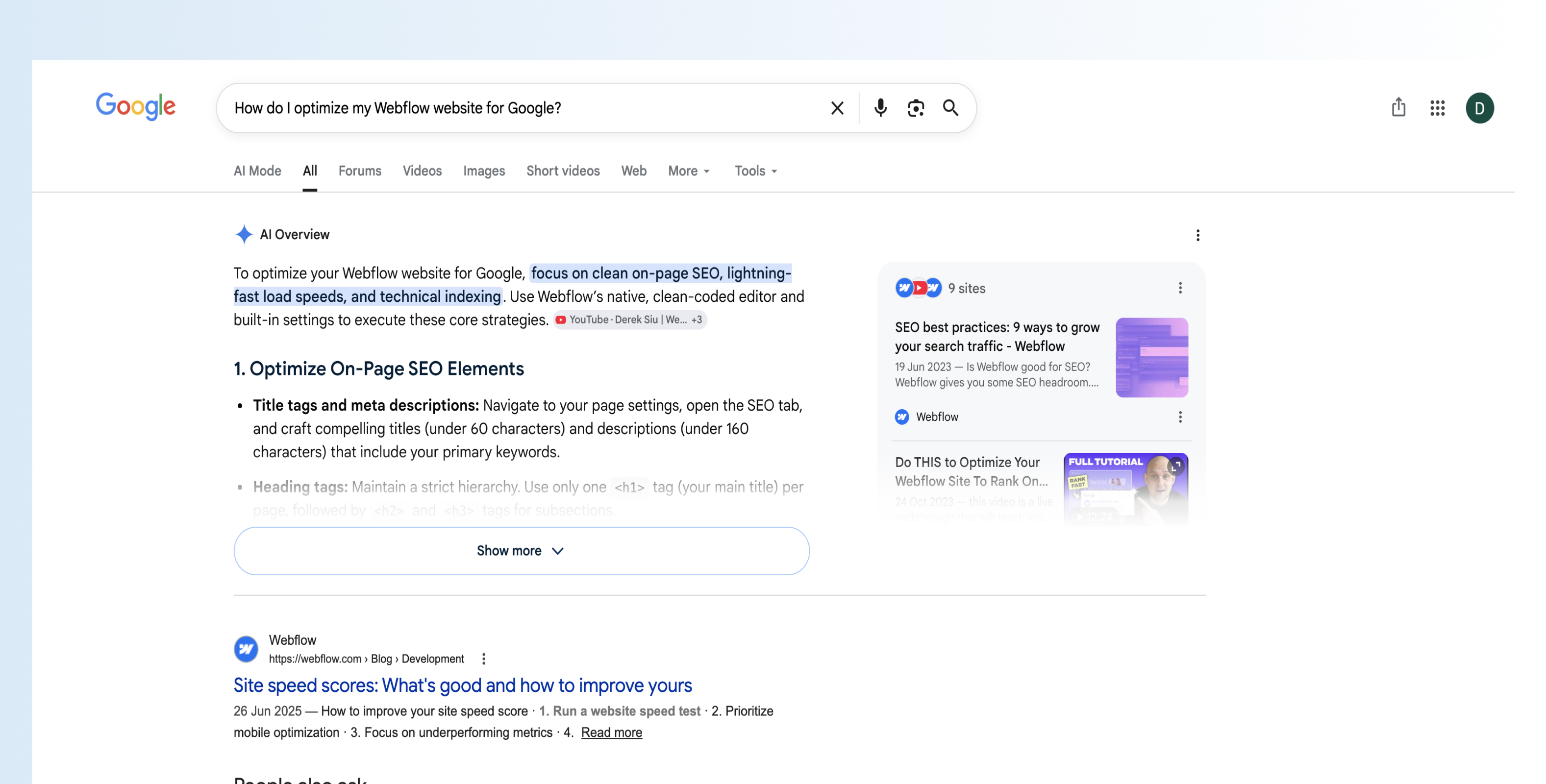
Over the last few years, search has changed dramatically.People no longer search using just a few keywords. Instead of typing for example:
webflow seo
they're asking:
How do I optimize my Webflow website for Google?
At the same time, Google has introduced AI-generated summaries, featured snippets, rich results, and conversational search experiences.
It may seem like everything has changed. In reality, the foundations of SEO remain the same. Search engines and AI-powered search systems till reward websites that are:
- Helpful
- Well structured
- Fast
- Mobile friendly
- Accessible
- Trustworthy
- Regularly updated
If your website provides a great experience for visitors, you're already doing much of what search engines want (kudos!).
Start simple with great content
One of the biggest misconceptions about SEO is that it's primarily technical. Technical SEO is important, but content remains the foundation of every successful SEO strategy. Google's goal is simple: provide users with the best possible answer. That means your content should do the same. Instead of asking:
What keywords should I rank for?
Rather ask:
What questions are my customers already asking?
Every conversation with a client, every email you receive, and every frequently asked question represents an opportunity to create valuable content. For example, if you're a Webflow agency, your audience might ask:
- How much does a Webflow website cost?
- Is Webflow better than WordPress?
- How long does a website redesign take?
- Does Webflow have good SEO?
- Can I edit my own website after launch?
Each of these questions could become a dedicated blog post that attracts visitors actively looking for your expertise. Rather than creating content solely to rank for keywords, focus on solving real problems. The more helpful your content is, the more likely it is to earn visibility in both traditional search engines and AI-powered search.
Go for the low-hanging fruit: find topics people are already searching for
Before writing a blog post, it's worth spending a few minutes researching what your audience is actually searching for. Fortunately, you don't need expensive SEO software to get started. One of the easiest methods is simply using Google Search. Begin typing a topic related to your business and pay attention to Google's autocomplete suggestions. These suggestions are based on real searches, making them an excellent source of content ideas. For example, typing:
Webflow SEO
might produce suggestions like:
- Webflow SEO checklist
- Webflow SEO best practices
- Webflow SEO settings
- Webflow SEO tutorial
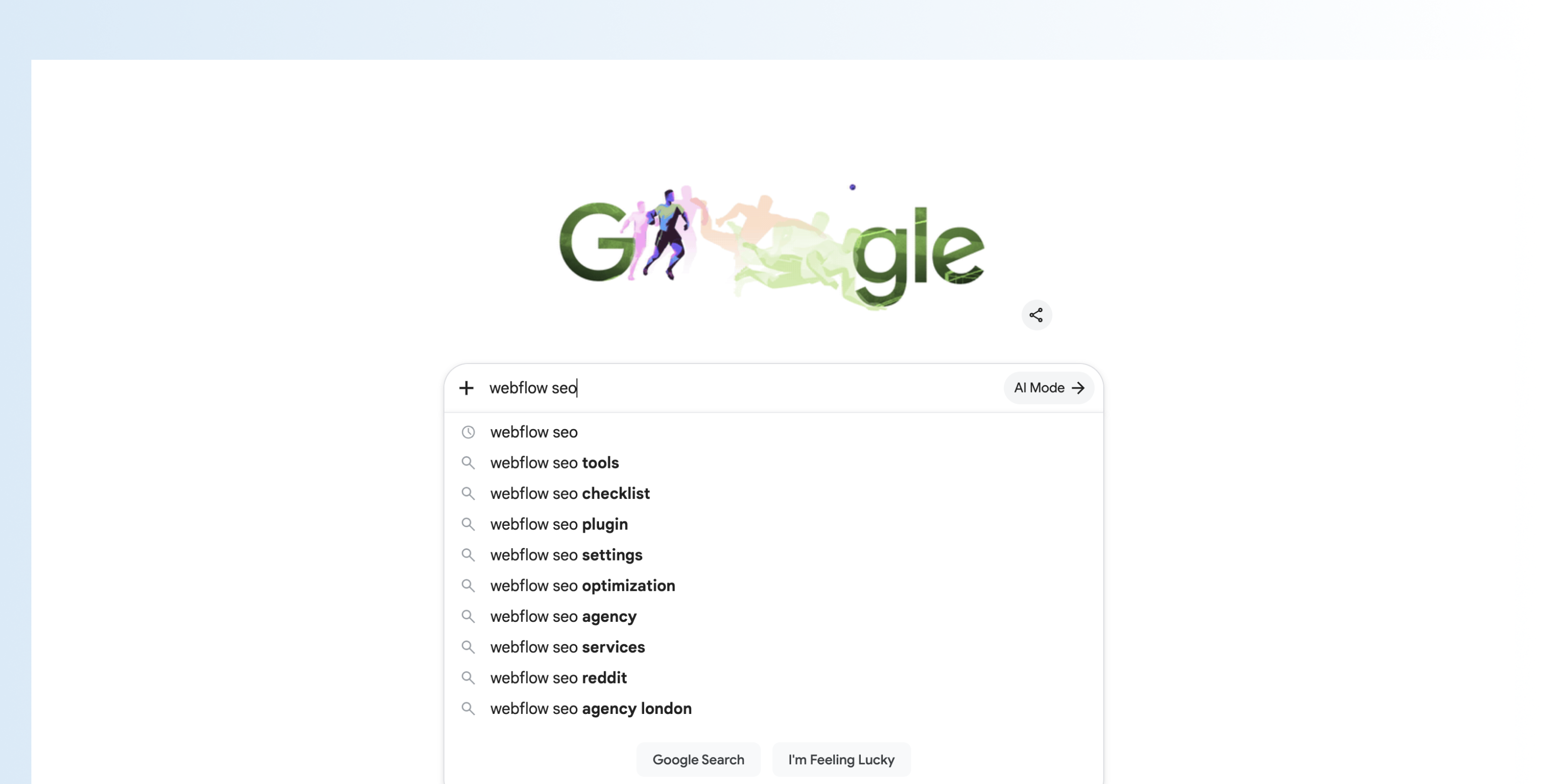
Each suggestion could become its own article or section within a larger guide. You can take this a step further by using Google Trends to compare topics, identify seasonal trends, and discover related searches. As your content strategy grows, tools like Google Keyword Planner, Ahrefs, or Semrush can help you estimate search volume, competition, and keyword opportunities. Remember, keyword research isn't about finding the biggest keywords—it's about understanding the language your customers use when searching for solutions.
Build a Search-Friendly Webflow Website
Creating great content is only half of the equation. Search engines also need to understand how your website is organized. A clear site structure helps both people and search engines navigate your content with ease. When your pages are logically organized and technically sound, search engines can crawl, index, and interpret your website more efficiently. The good news? Webflow already provides an excellent foundation for SEO. With the right setup and a few best practices, you can build websites that are fast, accessible, and easy for search engines to understand.
Design Responsively
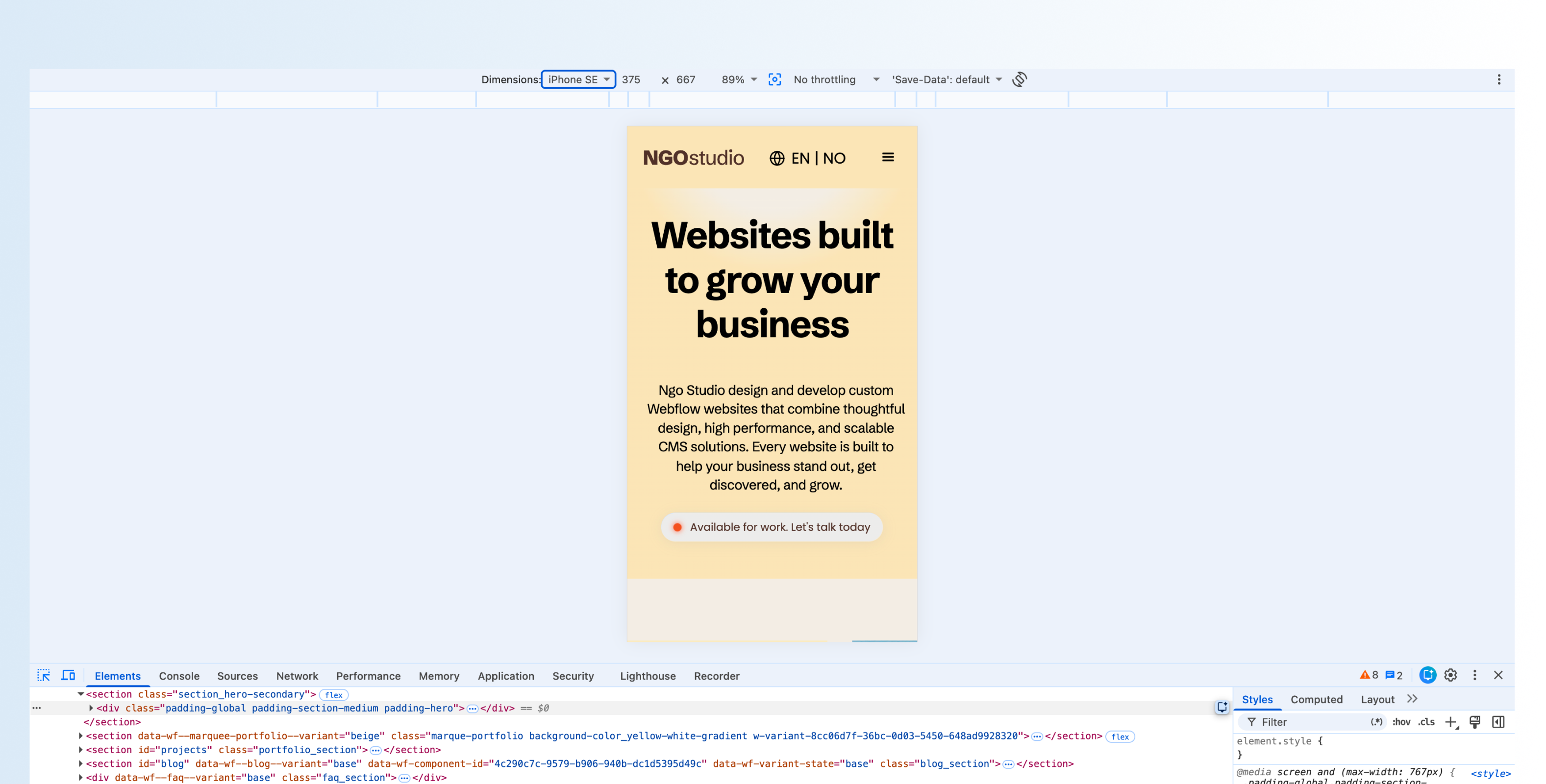
More than half of all web traffic comes from mobile devices, making responsive design essential for both user experience and SEO. Google primarily uses the mobile version of your website when evaluating your pages, meaning a poor mobile experience can negatively impact your rankings. A responsive website should:
- Adapt seamlessly to different screen sizes.
- Keep navigation simple and intuitive.
- Ensure text remains readable without zooming.
- Make buttons and links easy to tap.
- Provide the same content and functionality across all devices.
Webflow's responsive design tools make it easy to optimize layouts for desktop, tablet, and mobile without maintaining separate versions of your website.
Use Semantic HTML
Every element on your page communicates meaning, not just to visitors, but also to search engines. Semantic HTML uses meaningful elements such as:
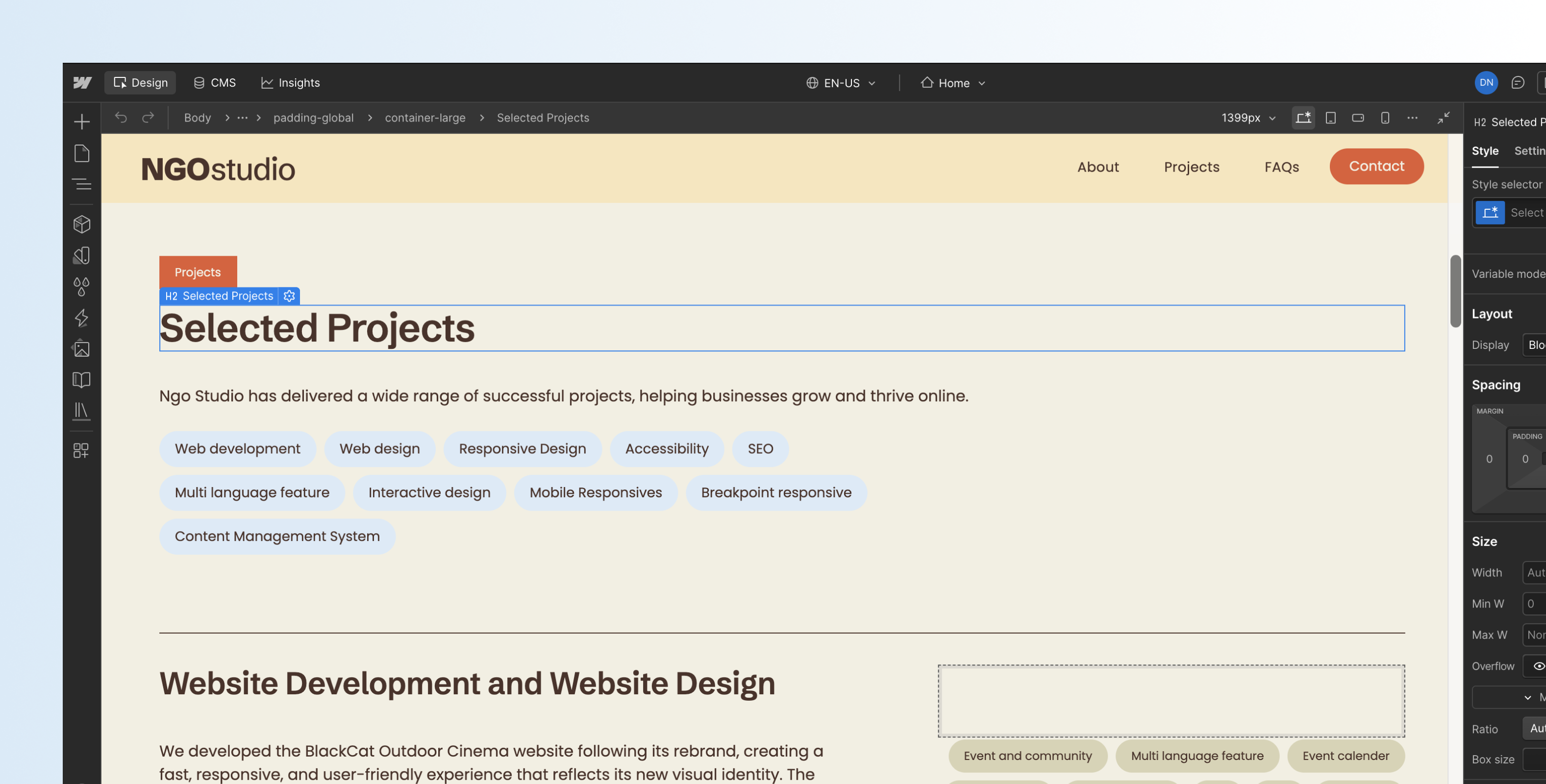
<header><main><section><article><nav><footer>These tags tell search engines what each part of the page represents. In Webflow, many elements allow you to change the HTML tag directly in the Element Settings panel. For example, a regular Div Block can become a <section>, while your navigation and footer can be assigned their appropriate semantic tags. Although visitors won't notice the difference, search engines and assistive technologies will.
Create a Logical Heading Hierarchy
Headings provide structure for both readers and search engines. Think of them as the outline of your page. Every page should include:
- One H1 that clearly describes the page.
- H2s for major sections.
- H3s for supporting subsections.
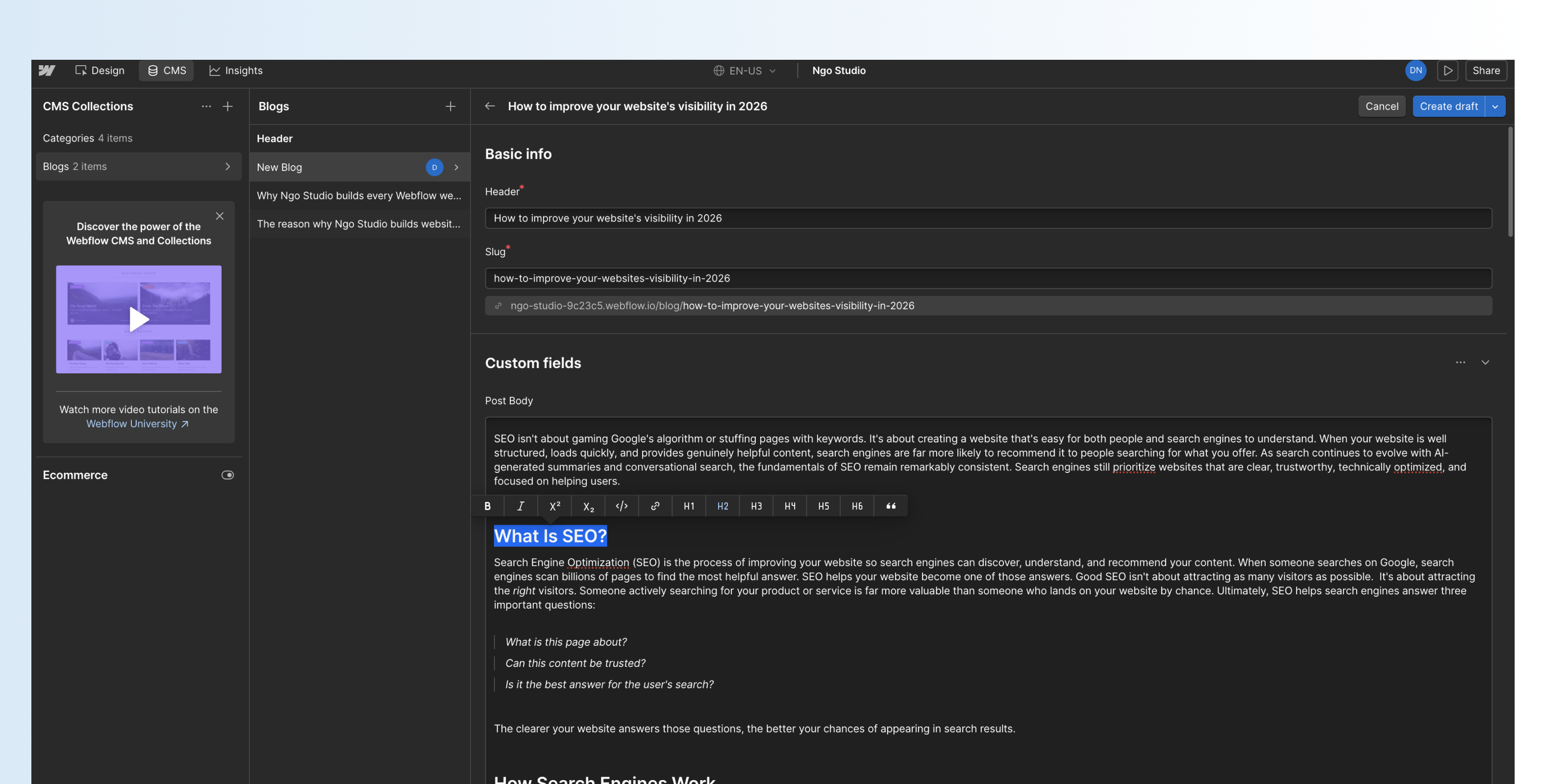
Avoid skipping heading levels or using headings purely for styling purposes. Instead, use them to organize information logically. A clear hierarchy helps visitors scan your content while making it easier for search engines to identify key topics.
Organize Your Site Structure
Imagine walking into a library where books are randomly placed on shelves. Finding anything would be difficult. Your website works the same way. Related content should live together. For example:
Services
    Web Design
    Webflow Development
    SEO
Resources
Blog
Case Studies
Guides
This creates logical topic clusters that help visitors find information while strengthening your website's topical authority.
Write Clean URLs
URLs should clearly describe what visitors can expect before they even open the page. Good examples include:
/services/webflow-development

/blog/webflow-seo-guide

/resources/schema-markup
Avoid URLs such as:
/page-183

/post?id=582

/new-page-copy-final
Keep URLs:
- Short
- Descriptive
- Lowercase
- Hyphenated
- Free from unnecessary words
Use Internal Links Strategically
Internal links connect related pages across your website. They help visitors continue exploring your content while making it easier for search engines to understand relationships between topics. For example, if you're writing about Webflow SEO, naturally link to related pages such as:
- Website Design
- Webflow Development
- Answer Engine Optimization
- Website Performance
- Schema Markup
These connections reinforce your expertise while improving crawlability. A good rule of thumb is to ask:
What would my reader want to learn next?
If another page answers that question, link to it. While I have you here, check out our relevant article about AEO.
Optimize Every Page
Even the best content can struggle to rank if important page settings are missing. Fortunately, Webflow makes these easy to configure.
Write Strong SEO Titles
Your title tag is one of the strongest on-page SEO signals. It's also the first thing most people see in search results. A good title should:
- Include your primary keyword.
- Clearly describe the page.
- Encourage clicks.
- Stay under roughly 60 characters.
For example:
Webflow SEO Guide: Improve Your Rankings in 2026 | Ngo Studio
Write Better Meta Descriptions
Although meta descriptions don't directly influence rankings, they significantly affect click-through rates. A strong meta description should summarize the page in one or two sentences while encouraging users to click. Aim for approximately 150–160 characters. Think of it as your elevator pitch in Google's search results.
Optimize Open Graph Settings
Open Graph (OG) settings determine how your pages appear when shared on social platforms like LinkedIn, Facebook, Slack, and X. Instead of displaying a random image or snippet, Open Graph allows you to control:
- Title
- Description
- Preview image
A thoughtful preview makes your content look more professional and increases the likelihood of engagement.
Add Descriptive Alt Text
Images aren't just visual. They're also content. Alt text helps screen readers describe images to visually impaired users while giving search engines additional context. Good alt text describes what is actually happening in the image. Instead of:
image1.jpg
Write for instance:
Designer building a responsive Webflow website on a desktop computer.
Include keywords only when they're genuinely relevant. Avoid keyword stuffing, as it provides little value and may negatively impact your SEO.
Improve Website Performance
Website speed has a direct impact on user experience. Slow websites frustrate visitors, increase bounce rates, and make it harder for search engines to crawl your pages efficiently. Fortunately, improving performance is often straightforward.
Compress your images
Large images are one of the biggest causes of slow websites. Before uploading images to Webflow:
- Resize them appropriately.
- Compress them using modern formats like WebP.
- Avoid uploading images much larger than they need to be.
Remove unused code
As websites evolve, they often accumulate unnecessary CSS classes, interactions, and custom code. Regularly cleaning up your project helps reduce bloat and keeps your website easier to maintain. In Webflow, it's also worth enabling CSS and JavaScript minification in your publishing settings to reduce file sizes and improve loading performance.
Test your website regularly
Performance isn't something you optimize once. Review your website periodically using tools such as:
- Google PageSpeed Insights
- Lighthouse
- Google Search Console
These tools can identify issues related to speed, accessibility, best practices, and SEO while providing practical recommendations for improvement.
Technical SEO Essentials
Once your website has great content and a clear structure, it's time to strengthen the technical foundations that help search engines crawl, understand, and index your site. Many of these tasks only need to be configured once, but they play an important role in your long-term SEO performance.
Add Schema Markup
Schema markup is structured data that provides additional context about your content. Think of it as information written specifically for search engines. While visitors won't see schema on your website, it helps search engines understand exactly what a page represents, whether that's:
- A business
- A service
- A blog post
- A product
- An event
- A frequently asked question
Adding schema increases the likelihood of appearing in rich search results and gives search engines greater confidence when interpreting your content. For Webflow websites, schema can be added using custom code or generated dynamically through CMS fields.
Submit Your XML Sitemap
An XML sitemap acts as a roadmap for search engines by listing the pages you want them to crawl. Fortunately, Webflow automatically generates a sitemap for your website. After publishing your site, submit your sitemap to Google Search Console. This helps Google discover new pages more quickly and ensures your most important content is indexed.
Configure Your robots.txt File
The robots.txt file tells search engine crawlers which parts of your website they can and can't access. For most websites, the default configuration generated by Webflow is sufficient. However, it's worth reviewing if you have:
- Private pages
- Staging environments
- Duplicate content
- Development resources
Note, always be careful when editing your robots.txt file, as blocking important pages can prevent them from appearing in search results.
Enable AI Crawlers
As AI-powered search continues to grow, it's becoming increasingly important to allow AI systems to access your content. Within Webflow's page settings, you can enable both:
- Allow search engine indexing
- Allow AI bots to crawl your content
If your goal is to appear in AI-generated answers, blocking AI crawlers works against that objective.
What about LLMs.Txt? Should you use it?
LLMs.txt is an emerging standard designed to help website owners communicate with large language models. Unlike robots.txt, which controls crawler access, LLMs.txt aims to highlight the most important resources on your website and provide additional guidance for AI systems. Although adoption is still limited, it's a promising development worth following as AI search continues to evolve.For now, focus on creating clear, structured content and strong technical SEO—these remain the most important foundations.
Measure Your SEO Performance
Publishing an optimized website isn't the finish line. SEO is an ongoing process, and measuring performance helps you understand what's working and where improvements can be made.
Google Search Console
Google Search Console should be one of the first tools you set up after launching your website. It helps you monitor:
- Which pages are indexed
- Search queries that bring visitors to your website
- Click-through rates
- Crawl errors
- Mobile usability issues
- Rich search results
Think of it as your SEO dashboard. If Google encounters problems crawling or indexing your website, Search Console is usually the first place you'll find them.
Google Analytics
While Search Console shows how people discover your website, Google Analytics shows what happens after they arrive. It helps answer questions such as:
- Which pages receive the most traffic?
- How long do visitors stay?
- Which pages convert best?
- Where do users leave your website?
These insights help you improve both your SEO and user experience.
Google PageSpeed Insights & Lighthouse
Performance is one of the easiest areas to improve. Tools like Google PageSpeed Insights and Lighthouse evaluate your website across several categories, including:
- Performance
- Accessibility
- Best Practices
- SEO
Rather than chasing a perfect score, focus on addressing the recommendations that have the greatest impact on user experience.
Advanced SEO Tools
As your website grows, additional tools can provide deeper insights. Popular options include:
- Ahrefs for keyword research, backlinks, and competitor analysis.
- Semrush for content strategy and SEO audits.
- Screaming Frog for technical website crawling.
- Google Trends for identifying emerging topics.
- Google Keyword Planner for keyword research.
While these tools aren't essential for beginners, they become increasingly valuable as your content strategy expands.
Measure Your SEO Performance
Publishing an optimized website isn't the finish line.
SEO is an ongoing process, and measuring performance helps you understand what's working and where improvements can be made.
Google Search Console
Google Search Console should be one of the first tools you set up after launching your website.
It helps you monitor:
- Which pages are indexed
- Search queries that bring visitors to your website
- Click-through rates
- Crawl errors
- Mobile usability issues
- Rich search results
Think of it as your SEO dashboard.
If Google encounters problems crawling or indexing your website, Search Console is usually the first place you'll find them.
Google Analytics
While Search Console shows how people discover your website, Google Analytics shows what happens after they arrive. It helps answer questions such as:
- Which pages receive the most traffic?
- How long do visitors stay?
- Which pages convert best?
- Where do users leave your website?
These insights help you improve both your SEO and user experience.
Google PageSpeed Insights & Lighthouse
Performance is one of the easiest areas to improve. Tools like Google PageSpeed Insights and Lighthouse evaluate your website across several categories, including:
- Performance
- Accessibility
- Best Practices
- SEO
Rather than chasing a perfect score, focus on addressing the recommendations that have the greatest impact on user experience.
Advanced SEO Tools
As your website grows, additional tools can provide deeper insights.
Popular options include:
- Ahrefs for keyword research, backlinks, and competitor analysis.
- Semrush for content strategy and SEO audits.
- Screaming Frog for technical website crawling.
- Google Trends for identifying emerging topics.
- Google Keyword Planner for keyword research.
While these tools aren't essential for beginners, they become increasingly valuable as your content strategy expands.
Common SEO Mistakes to Avoid
Many websites don't struggle because they're missing advanced SEO strategies. They struggle because they overlook the basics. Some of the most common mistakes include:
- Publishing thin or low-quality content.
- Using multiple H1 headings on a page.
- Forgetting to write unique title tags and meta descriptions.
- Uploading unnecessarily large images.
- Ignoring internal linking opportunities.
- Creating confusing URL structures.
- Neglecting mobile optimization.
- Leaving old or outdated content untouched.
- Publishing duplicate pages.
- Treating SEO as a one-time task.
Consistently getting the fundamentals right often produces better long-term results than chasing every new SEO trend.
Finally, SEO has evolved dramatically over the past decade, but its purpose remains the same: helping people discover helpful, trustworthy content. Whether someone finds your business through Google Search, an AI-generated answer, or a recommendation from another website, your success depends on providing genuine value. A fast, well-structured website with helpful content will always outperform one built solely to manipulate algorithms. Instead of asking
How can I rank higher?
ask yourself:
How can I create the most helpful resource for someone searching for this topic?
When you consistently answer that question, you're not just improving your SEO, you're building a website that earns trust, attracts the right audience, and supports sustainable business growth.